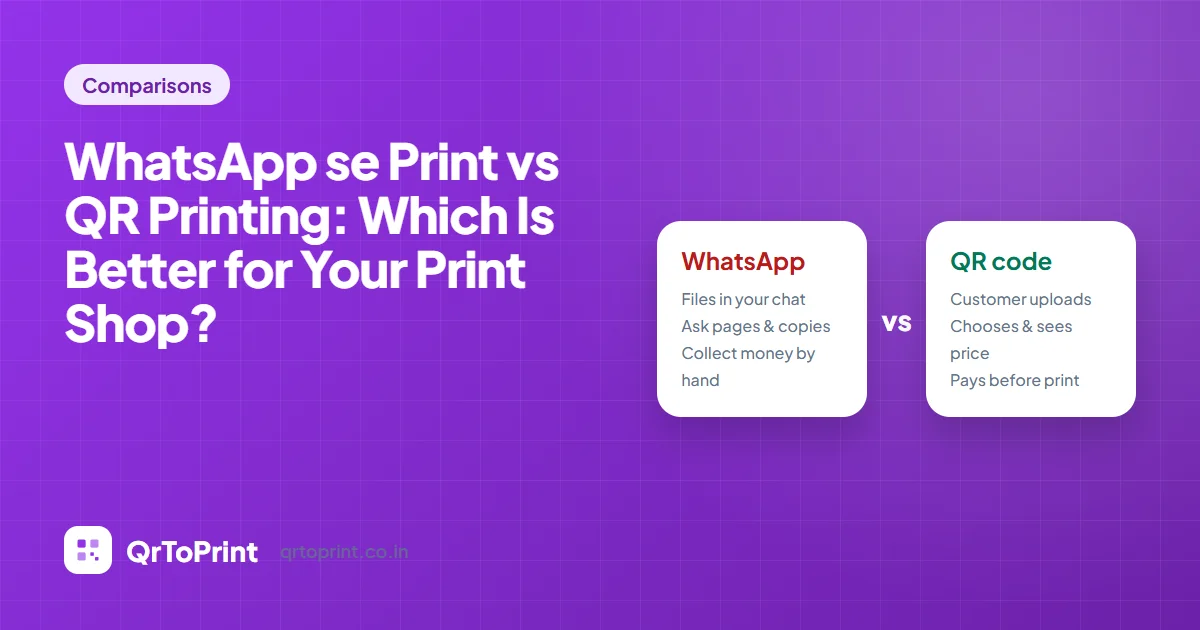
For a print shop with regular footfall, QR printing is better than WhatsApp printing (“WhatsApp se print”). WhatsApp is free and familiar, but it mixes personal and business chats, fills your phone with customer documents, and makes staff do all the work. QR printing lets customers upload, choose settings and pay by themselves, with the file deleted after printing.
Here is a detailed comparison to help you decide.
How WhatsApp printing works today
The common flow in most shops:
- Customer asks for the shop’s WhatsApp number.
- Customer sends files — sometimes as photos, sometimes as documents.
- Staff opens WhatsApp Web or phone, finds the chat, downloads files.
- Staff asks: “How many copies? Colour or B&W? All pages?”
- Staff prints, calculates amount, collects cash or UPI.
- Files remain in the phone gallery and download folder.
It works for a few customers a day. The trouble starts when 10 people are waiting.
How QR printing works
- Customer scans the QR code at the counter.
- Upload page opens in the phone browser.
- Customer uploads files and selects paper size, copies, B&W or colour, sides and pages.
- Customer sees the exact price, then pays by UPI to your UPI ID or chooses Pay at counter.
- The print comes out automatically on your printer; the file is deleted after printing.
See the full flow on our how it works page.
Comparison table
| Factor | WhatsApp printing | QR printing |
|---|---|---|
| Customer effort | Save number, send files | Scan and upload |
| Staff effort | Download, ask settings, print, bill | Hand over pages |
| Print settings | Told verbally, often misheard | Selected by customer |
| Payment | Calculated manually | Price shown to customer; UPI to your UPI ID or cash |
| File quality | Photos get compressed if sent as images | Original file uploaded |
| Privacy | Files stay in phone and PC | Deleted after printing |
| Phone storage | Fills up quickly | Not used |
| Mixing personal chats | Yes | No |
| Handling rush | One at a time | Many customers in parallel |
| Spam / unknown numbers | Common | Not applicable |
| Setup cost | Free | Yearly plan (free 7-day demo) |
Where WhatsApp printing falls short
1. It doesn’t scale during rush hours
During admit card and form seasons, staff spend more time scrolling chats than printing. Customers get frustrated and some leave.
2. Wrong prints waste paper
“I only needed pages 2 and 3” — verbal instructions lead to reprints. Every wrong print costs paper, toner and time.
3. Compressed images look bad
When customers send documents as WhatsApp photos instead of files, quality drops. Certificates and ID copies may come out blurry.
4. Privacy risk for customers and shop
Aadhaar cards, PAN, marksheets and bank statements pile up on your phone. If the phone is lost or shared, that data is exposed. Learn more in our guide to customer document privacy.
5. Your personal number becomes public
Hundreds of strangers get your WhatsApp number, leading to spam calls and messages at odd hours.
Where WhatsApp still has a place
To be fair, WhatsApp has advantages:
- Every customer already has it.
- No setup required.
- Useful for remote customers who send files before visiting.
Many shops use both: QR for walk-in customers and WhatsApp only for special cases.
Where QR printing clearly wins
- Speed — multiple customers upload at once; the queue runs automatically.
- Accuracy — customers choose pages, copies and colour themselves.
- Clear payment — the customer sees the price and pays by UPI or at the counter; no billing arguments.
- Professional image — your shop looks modern and organized.
- Less staff dependency — even a single owner can handle busy hours.
- Clean devices — no customer files lingering on your phone or PC.
Cost comparison
WhatsApp is free, but the hidden costs are real:
- Staff time spent on each order
- Reprints from wrong settings
- Customers who leave because of long lines
- Phone storage upgrades and slowdowns
A yearly QR printing plan usually costs less than what a busy shop loses in a few weeks of wasted prints and time. QrToPrint starts with a free 7-day demo, then a yearly plan — check the current pricing.
What customers think
Shop owners who switch usually hear similar feedback from customers:
- Students like that they can upload while standing in line instead of waiting to send files.
- Customers appreciate seeing the exact price before paying.
- People carrying sensitive documents feel more comfortable when the shop says files are deleted after printing.
- Older customers may need help the first time, but most pick it up quickly after one visit.
The key is presentation. A clear QR poster with simple instructions and your rate list removes most confusion. QrToPrint makes the poster for you in A4, A5 or sticker size.
How to switch without losing customers
- Keep WhatsApp active for the first month.
- Place a big QR poster at the counter: “Don’t WhatsApp — just scan the QR and get your print instantly.”
- When someone asks for your number, show them the QR instead.
- Keep “Pay at counter” enabled for people who prefer cash.
- After a few weeks, most regular customers will prefer QR.
FAQ
Can customers who don’t use UPI still use QR printing?
Yes. They can upload files and choose “pay at counter”, then pay in cash when collecting the print.
Does QR printing need a smartphone?
Yes, the customer needs a phone with a camera and internet. For customers without a smartphone, you can continue using a pen drive or email as a backup.
Will I lose WhatsApp customers after switching?
Not if you switch gradually. Most customers find scanning a QR faster than saving a number and sending files.
Is the uploaded file better quality than a WhatsApp photo?
Yes. The customer uploads the original PDF or photo file, so it is not compressed the way WhatsApp images often are.
Make the switch
If WhatsApp printing is slowing down your counter, try QR printing risk-free. Explore the features, see the xerox shop solution, read the complete QR printing guide, or start the free demo. Questions? Contact us.