No app download
Your upload page opens in Chrome, Safari or any browser right after scanning the QR.
From the customer’s phone to your printer tray, QrToPrint automates uploading, pricing, payment, printing and file deletion — no WhatsApp, no pen drive.
For your customers
No app, no login, no “WhatsApp kar do”. Customers scan your QR and finish the order themselves.
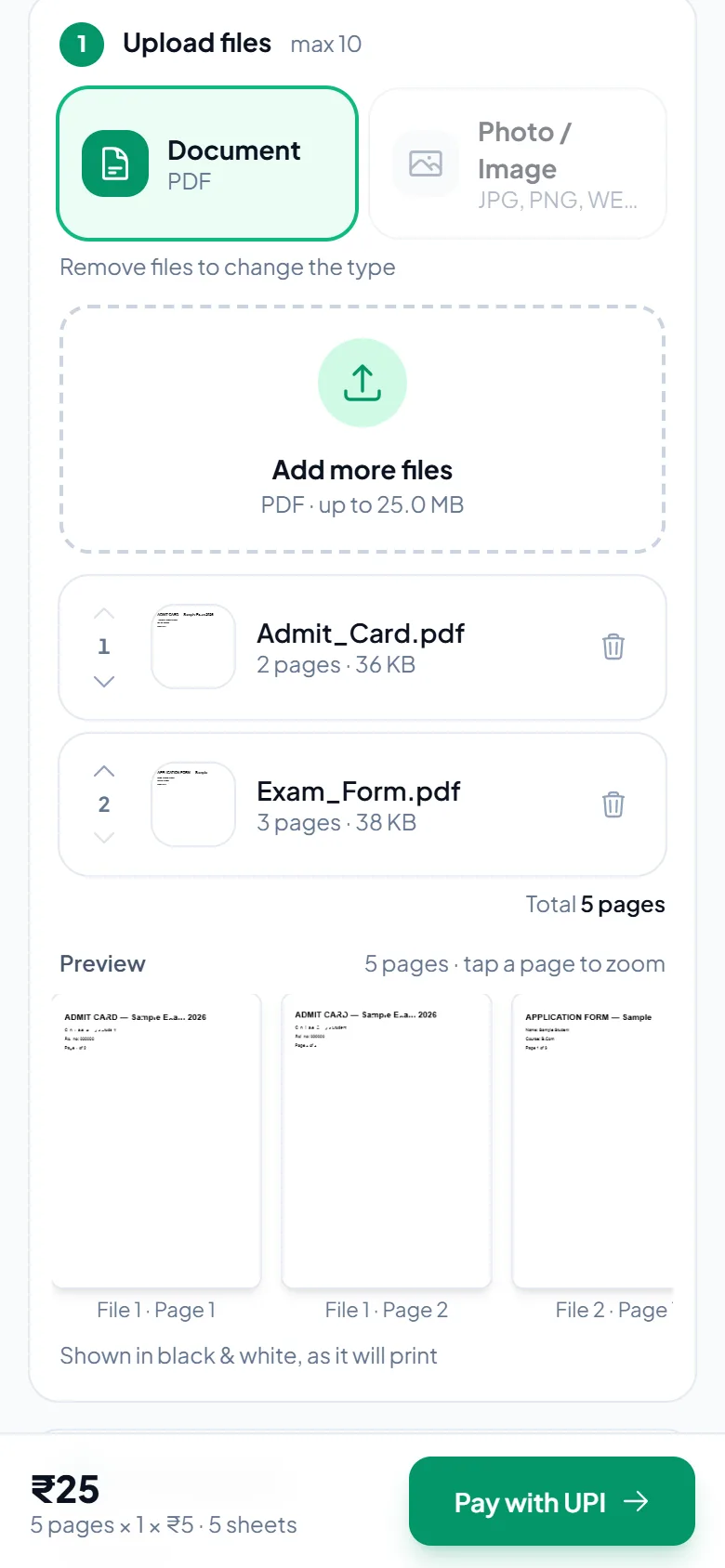
Your upload page opens in Chrome, Safari or any browser right after scanning the QR.
PDF up to 25 MB each, or JPG / PNG / WEBP photos — one payment for the whole order.
Print only pages “1-3, 5”, choose 1–100 copies, B&W or colour, one or both sides, portrait or landscape.
Fit 1, 2, 4, 6 or 9 photos on one sheet — ideal for passport-size and stamp-size photos.
The customer sees the exact amount, with your bulk discount, before paying — no arguments at the counter.
Every order gets a number. The customer says it at the counter and collects the prints.
Smart auto printing
The QrToPrint desktop app on your Windows PC picks up each order and prints it — you don’t download or open any file.
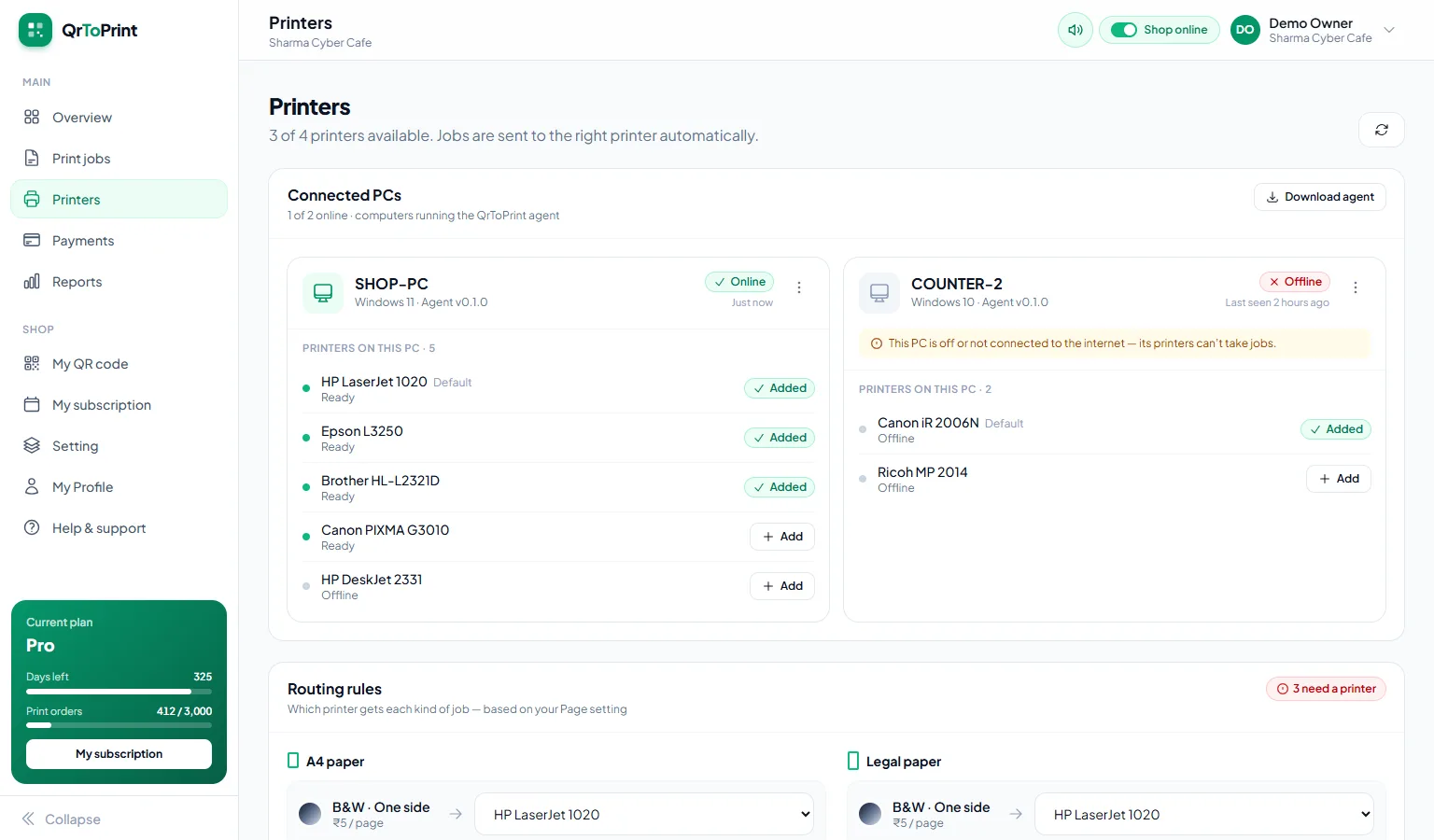
HP, Canon, Epson, Brother, Ricoh, Kyocera and xerox machines — USB or network. No new Wi-Fi printer needed.
Set which printer gets each paper size, B&W, colour and both-sides job. Save ink on every page.
Connect more than one computer and add as many printers as your counter needs.
Offer only the paper sizes your printers support — each with its own rates.
Choose per payment option: print straight away, or wait for you to Accept (or take cash) first.
Orders wait safely in the queue if the PC or internet is off, and print when it is back. Failed jobs can be retried.
Run your print shop
Know what was printed, how much you earned and which orders need you — without a register book.
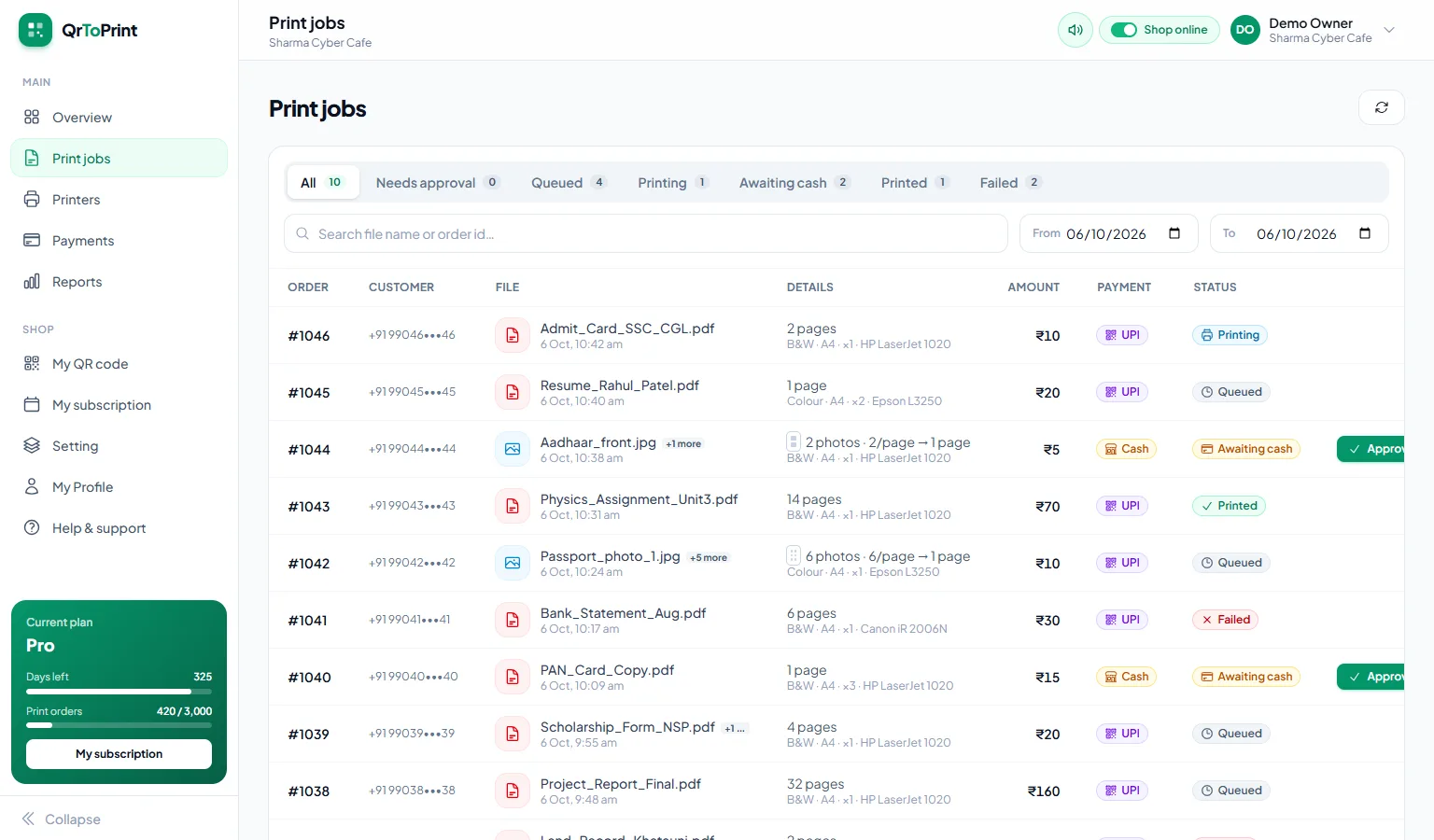
UPI payments go straight to your own UPI ID. QrToPrint takes no commission and never holds your money.
Accept cash: the order waits as “Awaiting cash” and prints when you tap Approve.
Set B&W and colour rates per paper size — one side per page, both sides per sheet. Change them anytime.
Give an automatic discount on bigger orders, by page range and paper size.
Hear every new order. Accept, Reject, edit an order before printing, or Retry a failed one.
Earnings by day, payment method and paper size, plus your busiest hours.
Download your shop QR as an A4 or A5 poster or a sticker — three designs, ready to print. Share your link on WhatsApp.
Allow orders only from people who are actually at your shop.
Privacy by design
Aadhaar cards, marksheets and bank statements deserve respect. Files are not kept on your PC or our servers.
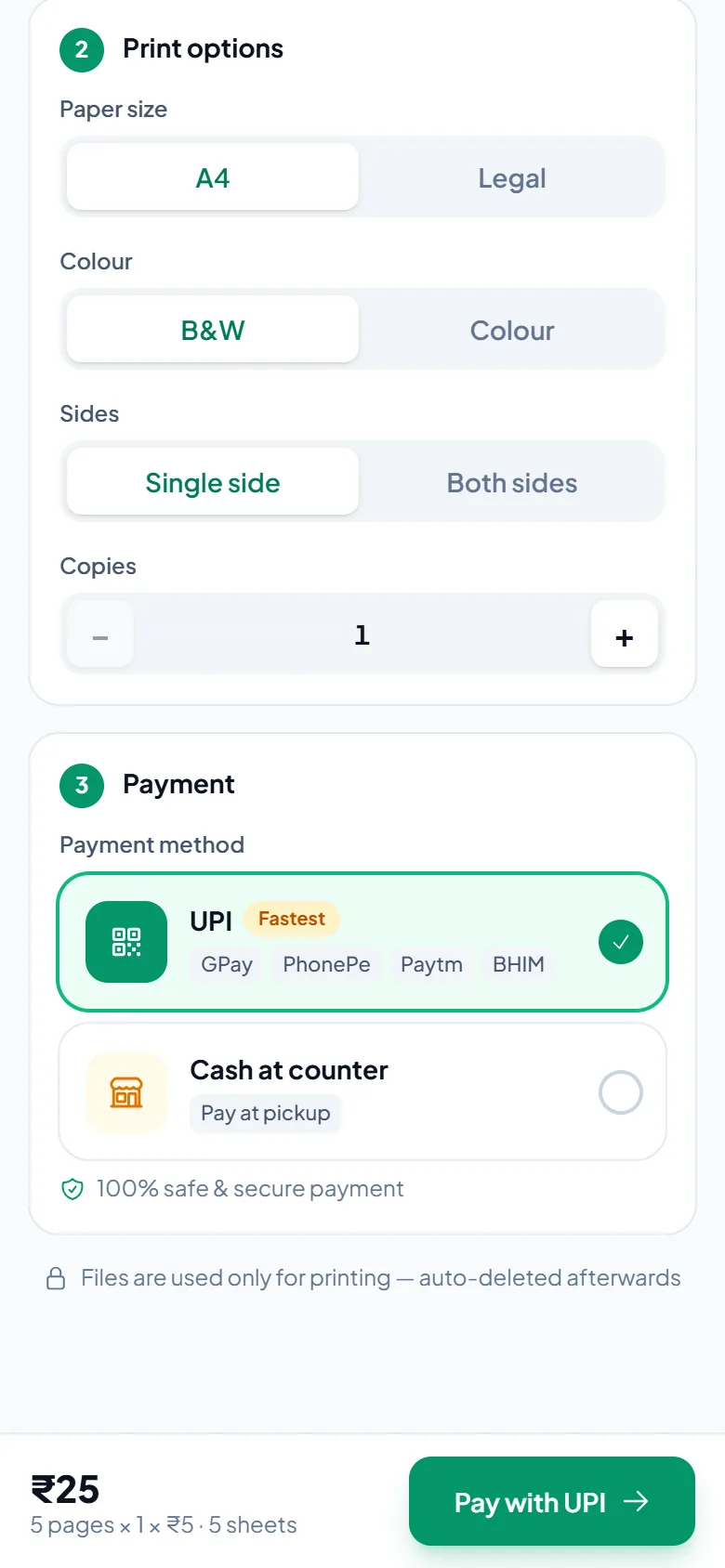
Files travel over HTTPS from the customer’s phone.
Removed from the shop PC and our server after printing or cancelling. Unprinted files are deleted after the time you set.
Your personal number and PC stay clean — no viruses, no files in the Downloads folder.
Optional 2-step verification with an email code for your shop account.
Any printer installed on Windows 10 / 11 — USB or network.
Brand names are trademarks of their respective owners and are used only to describe compatibility.
Cyber cafe, xerox shop or college library — same simple setup, bigger benefits.
Cyber cafe printing software: customers print from phone by scanning your QR. No WhatsApp, no pen drive — UPI straight to you, files auto-deleted.
Learn moreXerox shop software for phone printing: customers upload PDFs and photos by QR, pay by UPI, and prints come out automatically on your printer or xerox machine.
Learn morePrinting software for CSC VLEs and digital service centers. Customers upload by QR, pay by UPI or cash, and it prints automatically — files auto-deleted.
Learn moreSelf-service QR printing for college print rooms, libraries and coaching. Students upload notes from their phone, pay by UPI and collect prints.
Learn moreRegister in 2 minutes and set up in about 10. Free 7-day demo with 50 print orders — buy a plan only if you love it.