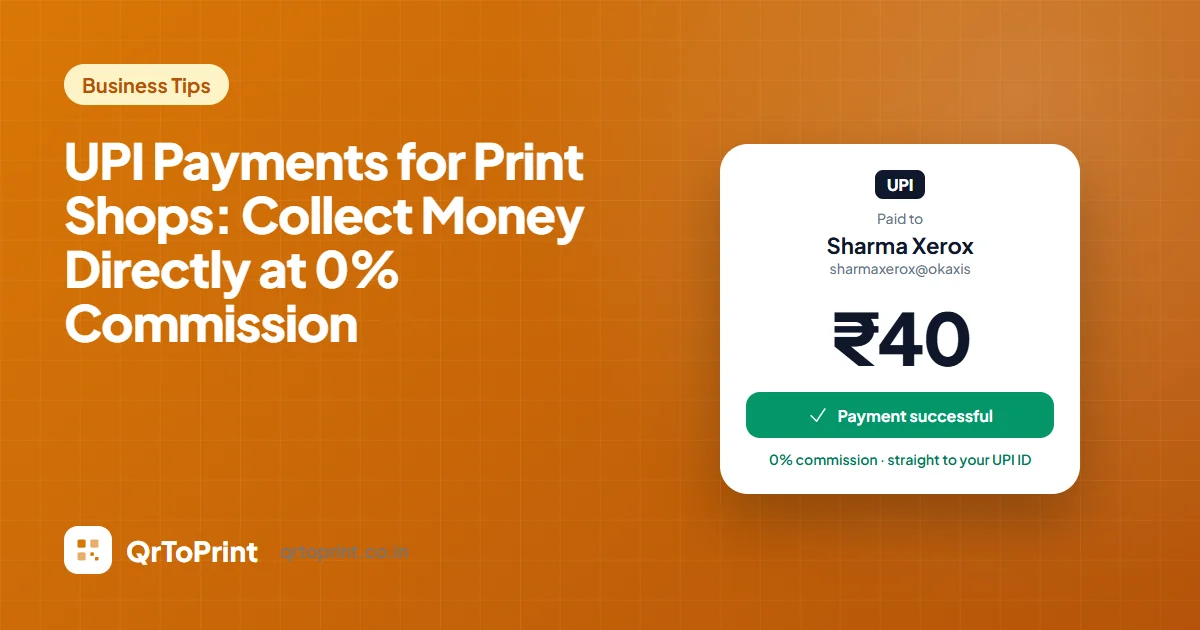
A print shop can accept UPI payments with 0% commission by using its own UPI ID or UPI QR code from a bank or UPI app. Person-to-merchant UPI payments for small amounts like ₹5 or ₹50 generally carry no charge for the shop, and the money lands straight in your bank account. The main jobs left for you are checking each payment and handling the occasional refund.
Here is how to set it up properly for a xerox shop, cyber cafe or CSC center.
Why UPI suits print shops
Print orders are small and frequent. Cash means loose change, ₹1 and ₹2 problems and end-of-day counting. Cards are rare for ₹10 orders. UPI fixes most of that:
- No change needed for odd amounts like ₹14
- Money is in the bank, not the drawer
- Every payment has a record in your UPI app
- Students and young customers already prefer it
Personal UPI vs business UPI
You can collect money on a personal UPI ID, but a business (merchant) UPI is better for a shop.
| Personal UPI | Business / merchant UPI | |
|---|---|---|
| Who it’s for | Individuals | Shops and businesses |
| Shop name on payment | Usually your own name | Your shop name |
| Payment alerts | Normal app notifications | Often sound box / merchant app alerts |
| Daily records | Mixed with personal payments | Separate business statement |
| Best for | Very small or new shops | Any shop with regular footfall |
Most banks and UPI apps (BHIM, PhonePe Business, Paytm for Business, Google Pay for Business and bank merchant apps) let you open a merchant UPI ID and a printed UPI QR. Check the current terms with your bank or app — limits and documents vary.
How to get a UPI QR code for your shop
- Open a current or savings account you will use for the shop.
- Register for a merchant/business UPI with your bank or a UPI business app.
- Complete KYC with the documents they ask for.
- Download or collect your UPI QR and note your UPI ID (like
shopname@bank). - Do a ₹1 test payment from another phone.
Keep a printed copy of the QR at the counter even if you also take payments online.
Is UPI really zero commission?
For typical person-to-merchant UPI payments, there is generally no MDR (merchant discount rate) charged to the shop, which is why UPI is usually free for small merchants. Rules can change, and some payment gateways charge their own fees on top — so if a service asks you to route payments through its account, read the charges carefully.
With QrToPrint, customers pay straight to your own UPI ID from their own UPI app. QrToPrint never holds the money and takes 0% commission on customer payments.
How to check UPI payments before handing over prints
Fake payment screenshots are a real problem at busy counters. Simple rules:
- Check your own app or sound box, not the customer’s screen.
- Match the amount — ₹40 is not ₹4.
- Note the last few digits of the UTR / transaction ID for any disputed payment.
- Don’t accept “it’s processing” — wait for the credit or take cash.
How QrToPrint handles UPI orders
When a customer chooses UPI on your shop’s upload page, they pay to your UPI ID with any UPI app or by scanning the QR. You choose what happens next:
- Auto print on — the order prints straight away. Good for trusted, high-volume periods.
- Auto print off — the order waits in Needs approval. You check your UPI app and tap Accept to print, or Reject if no money came.
Payments are not verified automatically, so approve-first is the safest setting when you start. You can change it anytime in your payment settings.
Refunds: what to do
Refunds are done by the shop, from your own UPI app, because the money is in your account.
Common cases:
- Double payment — refund the extra amount the same day.
- Order rejected (blank or wrong file) — refund the full amount, or offer to print a corrected file.
- Printer failed and you can’t fix it today — refund or give a written credit.
Keep it simple: send the refund to the same UPI ID the customer paid from, and keep a note of the order number.
Should you still take cash?
Yes. Many customers — elderly people, some rural visitors — still prefer cash. Keep Pay at counter on. In QrToPrint, those orders wait as “Awaiting cash” and print only when you tap Approve, so nobody walks away without paying.
Daily routine for UPI at a print shop
- Morning: check the UPI app opens and the sound box (if any) is charged.
- During the day: approve orders only after the credit shows.
- Evening: compare the day’s UPI total with your print records. QrToPrint’s Payments page shows earnings by payment method to make this quick.
- Weekly: move money from the shop account as you normally would.
Read more on growing your print shop income, or see how payments fit into the full flow on how it works.
UPI mistakes print shops should avoid
A few habits cause most payment problems at the counter:
- Displaying a personal QR with a different name. Customers hesitate when the name on the payment screen doesn’t match the shop board. A business UPI with your shop name fixes this.
- Sticking an old QR over a new one. If you change banks, remove the old QR completely so payments don’t go to a closed account.
- Letting staff use their own UPI. All shop payments should go to one shop UPI ID, or your accounts will never match.
- Ignoring small failed payments. A ₹6 payment that “failed” on the customer’s side sometimes credits later. Note the order number and settle it when they return.
- No signal near the counter. UPI needs internet on both phones. A small Wi-Fi router for customers can save lost payments in shops with poor mobile signal.
Keeping UPI and print records together
At the end of the day you want to know two things: how many prints you did, and how much money came in. When customers pay by UPI for orders placed through QR printing software, both live in one place.
In QrToPrint, every order shows its amount, payment method and status. The Payments page totals earnings by day and by payment method (UPI or cash), and Reports show your busiest hours. Comparing that with your UPI app statement takes a couple of minutes instead of going through a register book.
This matters in exam-form season, when a cyber cafe can handle dozens of small UPI payments an hour. With clean records you can spot a missing payment the same day, not a week later.
FAQ
Can I use my personal UPI ID for the shop?
You can, but a business UPI keeps shop and personal payments separate and shows your shop name to customers, which builds trust.
Does QrToPrint take any commission on UPI payments?
No. Customers pay straight to your own UPI ID, and QrToPrint takes 0% commission. You only pay for your yearly plan — see pricing.
What if a customer shows a fake payment screenshot?
Always confirm the credit in your own UPI app before printing or handing over pages. With approve-first, the order won’t print until you tap Accept.
Can customers pay with a card?
QrToPrint supports UPI and pay at counter. If a customer wants to pay by card, handle it at the counter with your own card machine.